


Fly App - Go for Drone Models
4.5181.00 Reviews
App Specs
- Version
- 2.6.9
- Updated On
- License
- Free
- Downloads
- 500,000+
- Developer
- Drone App
- Categories
- Photography
- Platform
- Android
Screenshots

 Analysis by AppCompare
When a drone belongs to a household rather than just one person, the phone becomes part of the handoff. One person may want to frame a view, another may be responsible for the aircraft, and someone else may simply be curious about what the camera sees. Fly App is aimed at controlling several familiar drone families, so its appeal is practical: it may suit a home where people share an interest in flying, provided the aircraft and phone work together as expected.
A shared outing needs a clear pilot
Picture a relaxed weekend in an open, permitted area. One family member brings the drone, another carries the phone, and a third wants to watch the view. The useful thing about a phone-based control app is that the person holding the screen can focus on the camera view and controls while everyone else stays involved without crowding around the aircraft. I would still agree on one person as pilot before starting. A shared device can make access convenient, but it does not make it wise for several people to issue controls at once.
For a household, the app is most attractive when one person already knows how the drone is operated and can guide a beginner through the basics. It is less suitable as an instant toy that anyone can pick up without preparation. A drone is a real aircraft, and choosing a safe place, understanding the controls, and keeping attention on the surroundings matter more than having a screen full of features.
Check compatibility before planning around it
The app is from Drone App, and its stated range covers Mavic Pro, Mavic Air, Mini, Phantom, Matrice and Go 4 models. That breadth is useful for a household with more than one supported aircraft, but a family name alone is not a guarantee that every individual model or setup will behave identically. I would check the exact drone and its connection requirements before relying on the app for a planned outing. A quick test at home is more sensible than discovering a pairing problem at a park.
That check also helps set expectations for the phone. The app is listed for Android 6.0 and later, and it is free to install, with optional in-app purchases priced from $9.99 to $39.99 per item. The free entry point makes it reasonable to assess whether it fits your equipment before spending money. In a shared household, I would avoid buying an upgrade until the actual pilot has tested the basics and knows which features are worth paying for.
As with any controller app, I would keep the phone charged, close distractions, and make sure the person flying can reach the controls without passing the device around. If a second person wants to try, pause and make the handoff deliberate. That small routine is more helpful than assuming the app itself will manage who is in charge.
Useful for coordination, not a substitute for it
When several people take turns, the simplest approach is to agree on a short sequence: one person checks the aircraft and surroundings, one operates the phone, and everyone else watches from a sensible distance. This avoids the familiar muddle of multiple people giving directions while the pilot is trying to concentrate. If the person holding the phone changes, I would stop the flight first rather than pass a live controller between hands.
Worth Reading Before You Choose

EA SPORTS FC Mobile 26 Is a Bigger Football Game, but It Takes Time

Flipboard Shows What News Apps Must Do Beyond the Feed

Switching to Android Auto Means Rethinking Your Driving Routine

Google Calendar Makes a Crowded Week Easier to Manage

Ludo King Makes the Most of the Minutes Between Plans

Baby Panda World Brings Quick Play to Modern Phones, but Its Game Library Feels Busy
There is also a difference between sharing a device and sharing an account. A phone that is used by more than one person may contain personal settings or other apps, so I would keep ordinary device privacy in mind and avoid treating a shared screen as a dedicated family console. The app’s usefulness depends on a compatible drone and a focused pilot; it should not be mistaken for a household coordination system.
For an occasional flyer, the app may be more convenient than juggling several tools, especially if the goal is to use a phone to control a supported aircraft. Someone who already relies on an official controller workflow, or needs a dependable setup for demanding work, may prefer to stay with the option they know. Familiarity and predictable operation are more valuable than switching simply to try another interface.
Age, trust and realistic expectations
The app has an Everyone content rating, but that label is about the app’s content, not a recommendation that a child should fly a drone alone. I would treat a young person’s use as a supervised activity, with an adult choosing the location and remaining responsible for the flight. A parent can let a child help frame a shot or watch the screen while keeping the actual controls with the experienced pilot.
Its 4.3 average from around 7,600 ratings, alongside more than 500,000 installs, suggests that many people have tried it, though popularity cannot answer whether it will suit a particular drone or phone. The current version is 2.6.5. I would regard those details as useful context rather than a promise of flawless connections: testing your own setup remains the sensible first step.
There are trade-offs that matter more in a shared setting than they might for a solo hobbyist. A bright screen can be hard to read outdoors, a phone battery is being asked to serve both as controller and display, and interruptions from calls or notifications can pull attention away at the wrong moment. I would use a device with enough charge, silence avoidable alerts, and keep the flight short enough that the pilot can stay focused. If the phone is also someone’s only means of communication, it may be better to use a separate device or the drone’s usual controller.
Getting Started with Fly App
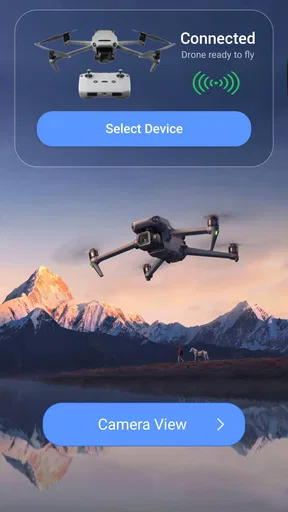
First things first, setting up the Fly App is a breeze. All you need is a compatible drone and a smartphone. Once you download the app from the App Store or Google Play, it guides you through a simple registration process. The interface is sleek and intuitive, which is a huge plus if you're not tech-savvy. The app connects to your drone via Wi-Fi or Bluetooth, depending on your model, and voila, you're ready to take off!
Features That Make You Go Wow
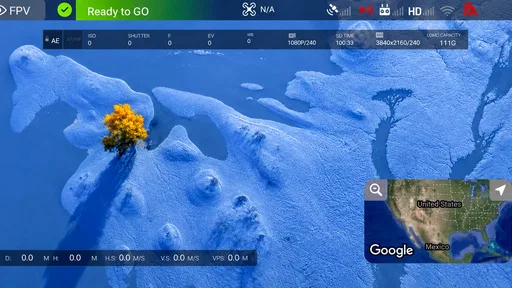
Now let's talk about the features. What I love most is the real-time video feed that streams directly to your phone. It's like having a bird's-eye view wherever you go. This is particularly useful if you're into capturing stunning aerial shots. The app also includes a flight simulator feature, allowing you to practice your piloting skills without risking your drone. Trust me, it's a lifesaver for newbies.
Another standout feature is the GPS-assisted flight mode. This ensures your drone stays stable, even in windy conditions, giving you smoother footage. Plus, the app provides detailed flight logs and statistics, which are great for monitoring your progress and tweaking your skills. It even has a handy "Return to Home" function that brings your drone back with just a tap.
User-Friendly and Fun
One of the best parts about the Fly App is its user-friendly nature. The developers have clearly put a lot of thought into making the app accessible to everyone. The controls are straightforward, and the tutorials are easy to follow. Whether you're a hobbyist or a professional, you'll find the app accommodating to your needs.
The app also encourages community interaction. You can share your flights and photos with other users, participate in challenges, and even earn badges. It's like being part of a global club of drone enthusiasts, which adds an extra layer of fun to the experience.
It's Not All Sunshine and Rainbows
While the Fly App is pretty awesome, it's not without its hiccups. Occasionally, you might experience connectivity issues, especially in areas with poor signal. It's also worth mentioning that the app can be a bit of a battery drainer, so make sure your phone is fully charged before heading out for a flight.
Another thing to keep in mind is that some of the advanced features are only available on the premium version. While the basic version is quite capable, if you're looking to unlock the app's full potential, you might need to consider shelling out a few bucks.
The Final Takeaway
All things considered, the Fly App is a fantastic tool for anyone looking to enhance their drone flying experience. Its robust set of features, coupled with an easy-to-use interface, makes it a top choice in the world of drone apps. Whether you're capturing breathtaking landscapes or just enjoying the thrill of flight, this app has something to offer.
If you're ready to take your drone adventures to new heights, head over to the download link, and give the Fly App a spin. Happy flying!
Pros
- User-friendly interface for beginners.
- Wide range of supported drone models.
- Real-time flight data feedback.
- Customizable flight paths available.
- Offline maps for no-signal areas.
Cons
- Limited battery management options.
- In-app purchases can be pricey.
- Occasional connectivity issues.
- Requires high-performance device.
- No night mode for low-light flying.
FAQs for Fly App - Go for Drone Models
What is Fly App - Go for Drone models and what features does it offer?
Fly App - Go for Drone models is a comprehensive application designed for drone enthusiasts. It allows users to control drone flights, access live video feeds, and manage flight paths. The app also includes features like auto take-off, landing, and customizable flight settings, making it suitable for both beginners and experienced pilots.
Is Fly App - Go for Drone models compatible with all drone models?
Fly App - Go for Drone models is compatible with a wide range of popular drone models. However, it is always advisable to check the app's official compatibility list on the developer’s website or within the app description in the store to ensure it supports your specific drone model.
Does Fly App - Go for Drone models require an internet connection to function?
Fly App - Go for Drone models does not require an internet connection for basic drone operations such as flying and capturing photos or videos. However, an internet connection may be necessary for certain features, such as map updates, firmware updates, and accessing cloud storage options.
What safety features does Fly App - Go for Drone models include?
Fly App - Go for Drone models is equipped with several safety features, including geofencing to prevent drones from entering restricted areas, return-to-home functionality for low battery situations, and real-time flight status alerts. These safety measures help ensure a secure flying experience for users.
Can I use Fly App - Go for Drone models to edit videos and photos captured by the drone?
Yes, Fly App - Go for Drone models includes basic editing tools for photos and videos captured during your drone flights. You can trim videos, apply filters, and adjust photo settings directly within the app. For more advanced editing features, additional software may be required.


